
How to Set Rent for a Multifamily Building
Owners price a multifamily building the way they price a single house: one number, maybe a rule of thumb per door. That's where the money leaks. A building isn't one rental — it's a stack of different products sharing an address, and each one answers to a different market.
Set every unit off a single per-door figure and you do two things wrong at once: you underprice the larger units and overprice the smaller ones. The two-bedrooms could carry more; the studios sit empty at a number borrowed from the two-bedrooms. The fix is to stop pricing the building and start pricing the unit mix.
Here's how to set rent across a multifamily building without leaving money in the larger units or vacancy in the smaller ones.
Don't price the building — price the unit mix
A 10-unit building with studios, one-bedrooms, and two-bedrooms is three rental markets under one roof. A studio competes with other studios; a two-bed competes with other two-beds. Their rents don't move together, and the gaps between them aren't proportional.
So the unit of analysis is the unit type, not the building. Group your units by bed/bath count and price each group on its own. "$1,800 a door" is an average that fits none of them.
Comp each unit type to its own market
For every unit type, build a comp set from recently leased units that match it — same beds and baths, similar size, nearby. The two-bedroom's comps are other two-bedrooms, not the building's blended average.
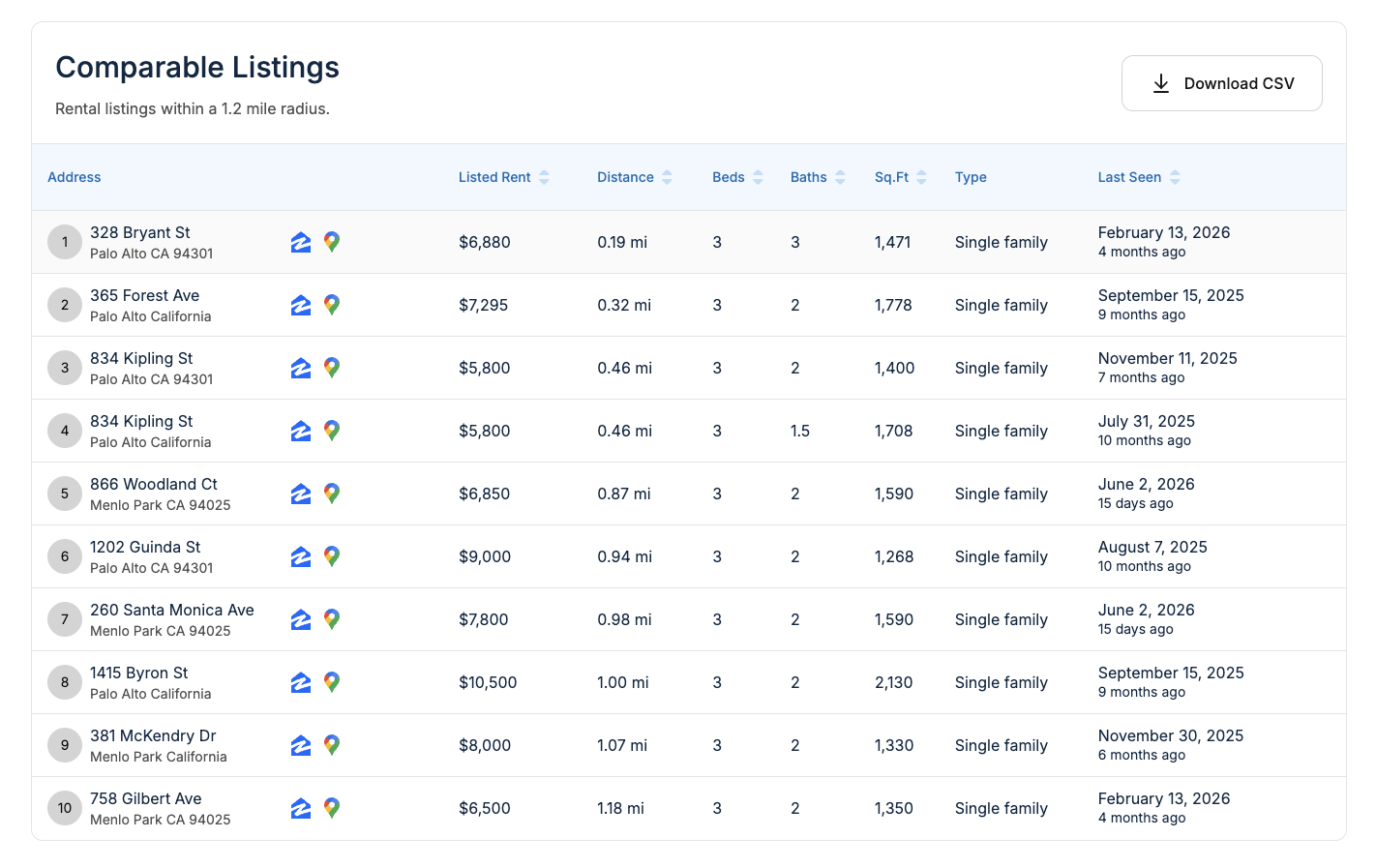
Being able to filter comps by beds, baths, and type is what makes per-unit pricing practical. You run the comp set once per unit type and read each one's real range, instead of forcing the whole building onto one number. The studios get studio comps, the two-beds get two-bed comps, and each rent reflects the market that unit actually competes in.
Adjust for in-building differences
Two identical-on-paper units in the same building don't always rent for the same amount. Inside a unit type, adjust for what a tenant will pay more or less for.
- Floor and view. Higher floors and better views usually carry a premium; ground-floor or alley-facing units a small discount.
- Renovation tier. A renovated unit comps against renovated units, not the tired one next door. If you've updated some and not others, price them as different products.
- Layout and light. Corner units, more windows, and better flow command more than an interior unit of the same square footage.
- Parking and storage. Assigned parking or extra storage is worth real dollars where it's scarce.
Keep these adjustments grounded in what comparable units actually got, not in what the upgrade cost you.
Use the building to your advantage
A multifamily gives you levers a single house doesn't.
- Stagger lease expirations. Spread renewals across the calendar so you're never re-leasing the whole building into the same soft month. It smooths vacancy risk and lets you test pricing unit by unit.
- Treat renovations as a pricing experiment. Renovate one unit of a type, lease it, and let the result set the target for the rest. The building is its own test market.
- Mind shared amenities. Pool, laundry, secured entry — these lift the whole building's rents a little, but the lift still lands per unit, on top of each unit type's base.
The takeaway
How do you set rent for a multifamily building? Stop pricing the building. Break it into unit types, comp each type against its own recently leased market, then adjust within each type for floor, condition, and layout. Use staggered leases and one-off renovations to keep testing the numbers.
Priced this way, the studios fill and the two-bedrooms earn what they're worth. A building is a portfolio of small markets — price each one, and the whole stack performs.
Price each unit type from real comps with RentEst.ai
