
How to Get an Accurate Rent Estimate in Seconds with RentEst.ai
Set rent too high and the unit sits empty while you keep paying the mortgage. Set it too low and you give away real money every month. A fast, accurate estimate is how you avoid both.
RentEst.ai turns an address into a defensible rent number in seconds, then lets you refine it. This guide walks the exact steps — enter the property, read the result, and tighten it with filters.
Step 1: Enter the property details
Go to the rent estimate by address page and enter:
- The property address
- The number of bedrooms
- Then click Get Rent Estimate
Start broad. Run the address with no extra filters first. That gives you the widest, most reliable comp set. Stacking filters too early shrinks the sample and can skew the number.
RentEst.ai pulls from its database of rental records and returns a hyperlocal estimate built on the closest, most recent comps.
Step 2: Read your results
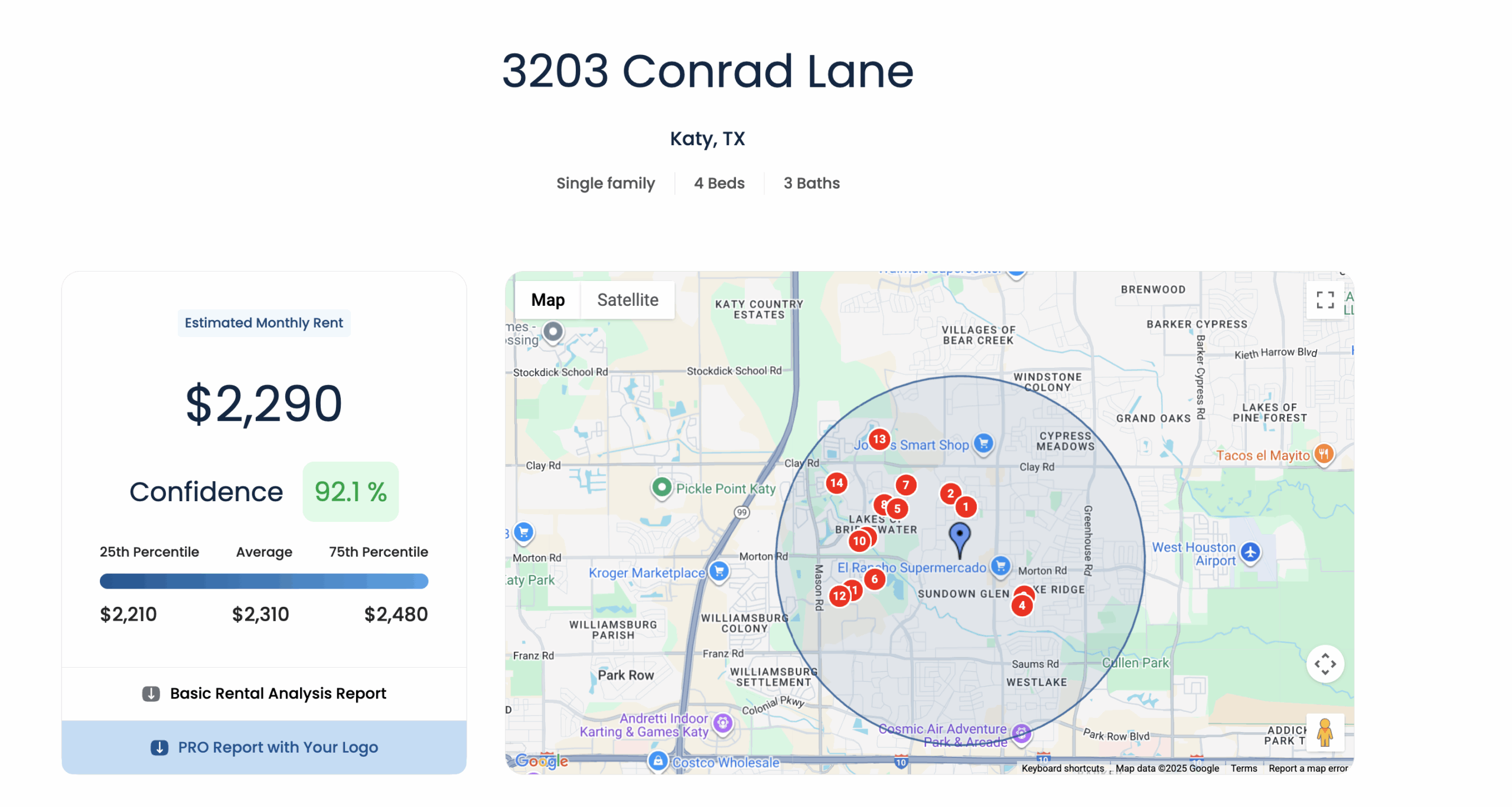
The estimate is more than a single price. You get a full breakdown:
- Average rent — the mean across comparable properties.
- Median rent — the midpoint, with half the comps above and half below.
- 25th percentile — the lower end; 25% of rentals fall below this.
- 75th percentile — the higher end; 75% fall below this.
Alongside the numbers you also see the comp count, the search radius, and a neighborhood rent estimate for broader context. The wider the gap between the 25th and 75th percentile, the more pricing room — and pricing risk — the market gives you.
A color-coded map shows where each comparable sits relative to your property, so you can see the geography behind the number.
Step 3: Refine with filters
To tighten the estimate, apply filters one at a time and watch the comp count. If it stays healthy, keep refining; if it collapses, back off.
Available filters include:
- Rent amount — compare current rent against the market.
- Bedrooms and bathrooms.
- Look-back period — up to 48 months of rent history.
- Radius — adjust manually or use Smart Radius for the optimal comp set.
- Building type — apartment versus house.
- Min/max price and min/max square footage.
Step 4: Go deeper with Pro
For a full analysis, Pro features add:
- Rent analysis summary with historical trends.
- Interactive comp map and per-property reports.
- Public record data for ownership and property history.
- CSV export of the full comp set.
- Branded reports with your logo for owners and clients.
Developers can also pull the same data through the RentEst.ai API.
The takeaway
An accurate rent estimate is not a guess — it is a number you can show the comps for. RentEst.ai gives you that in seconds: enter an address, read the percentile breakdown, and refine until the number is one you would defend to an owner.
Get your rent estimate by address.